Showing posts with label technology. Show all posts

Friday, 9 January 2015

Town Planning - SimCityEdu Tutorial

Unit Overview

I am doing a unit on Town Planning for MYP Design with my Grade 7s and I could not be more enthusiastic about it. Town planing may not sound like the most exciting unit, but believe me it is!

Students will be designing their own towns and will have a lot of criteria to meet. They will have to look at various city systems, from buses to recycling, as well as the needs and wants of the residents, they will decide on their town's main industry,  have to make sure there are enough jobs, homes and schools for everyone and they will have to take into consideration the town's age and geographical features. I think students will find the most fun part will be naming their town and adding in all the little details. I am pretty sure they will  start wanting  to name their towns after themselves and will probably add in far too many leisure and entertainment centres and will of course focus on the needs of young people, but will develop their cities into a great space for all!

We are going to compare an old and new town, (probably an area of London, compared to Milton Keynes) and we are going to look at Celebration, Florida, a town created and originally maintained by Disney! Studio 360 from PRI and WNYC produced a fantastic podcast with an episode called "American Icons: Disney Parks". In this they study Celebration and speak to some of the residents. The podcast itself is wonderfully informative and beautiful to listen to, (as it is full of great sound effects and edited wonderfully), so I will have to use the Celebration section with the students.

Students are most excited about the tools we are going to use, Minecraft and SimCityEdu! Students will be able to design their finished town on Minecraft, (some will opt to do it on paper), and will also produce a poster/leaflet to promote their town! Throughout the start of the unit students will also complete challenges on SimCityEdu, to get them to understand the different requirements town planners and councils must take into consideration when planning and running a town.


We started on SimCityEdu yesterday and they loved it! The game is easy to set up and navigate, but still challenges the students. It also teachers them valuable lessons, like how to create an efficient bus service, while still looking, feeling and sounding like a normal video game. Yesterday students completed a challenge to create the most efficient bus service for their town. All students completed the challenge, with varying levels of success, (measured in bronze, silver and gold medals) and every single student went on to repeat them game to try and create an even more effective system!

GlassLabGames provide great teaching resources for SimCityEdu, not only telling you how and why to play the game, but giving you a range of activities to do before and after the activity. Usually I ignore these sort of resources, as I often use tools and games not in the way they were intended, but these were perfect.

Please watch my video, as I explain what we did and how. This is such a great game for students and I encourage you to try it out too!

SimCityEdu Tutorial


P.S. In the video I said Grade 8, but meant Grade 7!

Friday, 26 September 2014

Lego Learning Project

I am very lucky to work in a school where we are not judged on short lesson observations, but on a long term research project. Last year I took part in a research project using Google Forms which you can read about here and here. This year I will be taking part in a project with one of my colleagues Mrs Jones (Michelle) using one of our favourite things...LEGO!

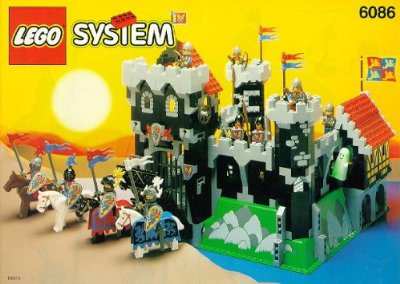
Lego has always been an incredibly popular toy and was very important in my life growing up...as it was in my mum's, dad's, brothers', friends'.... There is nothing that could make more excited as a child than getting a new Lego set, like my favourite Lego Castle. As an adult I don't think I have matured much as I still get as excited when I treat myself to Lego, (most recently a trip to Legoland, a Lego Calendar and a Lego City fireman set). As a teacher we are constantly trying to engage our students by making them excited about learning, so what better tool to use than Lego!

I used Lego a little bit last year, and have large storage Bricks and a Lego head full of Lego Bricks in my classroom. I've done a few small lessons, where I've set mini creation challenges or have had students playing team building games using Lego. However - it is now time to get serious!

I've collected Lego resources in this Pinterest folder and here on Google Drive. However we really want to focus on creating our own resources. Most of the resources available online are aimed at very young children, so we want to make resources suitable for secondary schools. We also will use some of the educational kits created by Lego, including the wonderful StoryStarter Kit. However, we may not use the educational kits in the way they are intended to be used - I assume Lego have some pressure on them to create educational kits which come with full teaching resources, but this can sometimes be restrictive, and don't always show the full potential of the kits. Often the kits aimed at older students are Mindstorms/Technics, but I want to mostly focus on using the traditional bricks in my teaching.


Michelle has some incredible ideas already and we are doing some work this week with our grade 6 students. They are doing a biography unit in English and Humanities and this week will be looking at the life of Gandhi. We will be using the StoryStarter Kits to show significant parts of his life - students will photograph several scenes and then they will present them to the class!

Last week, with the same grade, I also completed a few coding classes without computers. They loved the lesson and were so engaged. I am doing a town planning  unit later with an older grade and went to design a town, using different coloured and shaped Lego Bricks to symbolise different types of town. I'm doing another unit where students are designing a theme park, and we will be using LegoLand as a case study. I have purposefully planned only four units for each grade this year, so that I have a few weeks spare to throw in a mini unit - I want to use this to really focus on different approaches to learning, with a heavy influence on research - here I will get some students to complete research records about the history of Lego - I may also get another grade to work towards a debate with the motion "This house believes Lego shouldn't have introduced Lego Friends". (Michelle is also planning a gender unit next year, and I am trying to get her to talk about Lego advertising, Lego Friends and even Lego MiniFigures becoming gendered).


Our reading list so far:

I bought this already - Michelle is basically already doing everything in this book!


This book is great and gave me wonderful ideas for my little Lego challenges last year.


and finally...we may need


You will see lots of updates here! I am hoping to connect with other educators to share resources and ideas - if you are a teacher who uses Lego, please get in touch with me through Google+ or Twitter.

Monday, 9 June 2014

Sneak Peak

I feel refreshed, motivated and excited for the new year. Here's a little sneak peak of some units I am working on for next year.

Exhibition Stand
Follow Ms. Dutton's board Exhibition Stands on Pinterest.

Students will design an exhibition stand for a city of their choice. I might modify this and choose a city which struggles with attracting tourists or I might just choose somewhere I have been and love, which I think the students will also enjoy! I might change this and get them to create an exhibition stand for something else, maybe to show off some sort of product, or maybe even one about our school!


Christmas Window Display

Follow Ms. Dutton's board Window Display on Pinterest.

I will get students to create a Christmas Window Display for a very blank item, (maybe a plain white t-shirt). During this unit we will visit the Selfridges Christmas Window Display! We might even make this themed, maybe 'Christmases around the world' or 'Christmas in the year 3000' or link it to the Christmas text students are studying.


Roller Coaster / Theme Park Design

Follow Ms. Dutton's board Theme Park Design on Pinterest.

I am not ashamed to say I have always loved playing Roller Coaster Tycoon and Theme Park World, (and Theme Hospital of course). I have lots of ideas for this unit. I may give students a ride each/a few rides and they must create the theming for the area, including activities for people to do in the queues, props, restaurants and even audio. I also might get them to design the coaster from scratch, or any ride of their choice. During this unit I will get them to listen to some of the How Stuff Works Podcasts/read the How Stuff Works articles including one about the creation of the Disney Haunted Mansion and another about Roller Coasters!


Paper Theatres

Follow Ms. Dutton's board Paper Theatre on Pinterest.

Here students will design and build paper theatres, including backdrops and characters. I may even get them to perform! This will hopefully be an interdisciplinary unit with English and Drama, though I might start off small and get students to design for a well known fairy tale. I will hopefully take students to visit Pollocks Toy Museum, as they have an incredible collection of Paper Theatres


Town Planning

Follow Ms. Dutton's board Town Planning on Pinterest.

If we get a 3D printer I would love to do a Town Planning unit. Students would design individual buildings and we would work together to design the town. This could be a really fun unit and could link with the humanities civilisation unit! I could also incorporate this sort of design into the Theme Park unit!


-----------------
I also have a few unit ideas using Lego, including a Stop Motion Project using the StoryStarterKit and a 100 Brick Challenge, (see my Lego Ideas here). I will also be doing a food tech unit with some of the younger students where they cook Ration Recipes. Of course I will also repeat some of my favourite units from this year.


Watch this space!

Friday, 9 May 2014

Green Screen Ideas


My students helped me create this video full of ideas for using the green screen. We tried to cover lots of different subjects. The ideas covered are:

-Transport to exotic places
-speak in front of a large audience (cinema, gig, political campaign audience)
-Get close and personal with a famous person, (political, historical, celebrity, etc)
-Take people on virtual tours of galleries and museums (or place your own work in a virtual gallery)
-Explain coastal erosion by showing someone
-Visit dangerous places like volcanoes
-Perform on stage
-Set a dramatic piece in a location of your choice
-Take people on a language trip
-Show objects you are describing in another language
-Transport people to famous locations
-Visit impossible places, like a different planet
-Visit fictional lands from the book you enjoy
-Explore lands you have dreamt up
-Get close to incredible technology
-Step inside a sports stadium
-Commentate on sporting events
-Make yourself really big
-Make yourself really small, (so you can explore inside the human body)
-Show people real world maths
-Have fun!


See my earlier blog post for more ideas and a tutorial showing you how to use the Green Screen in iMovie here.


Monday, 27 January 2014

BETT2014 Highlights and heartbreak

It's Monday morning and my brain is buzzing after spending Saturday at BETT. I left my bag of swag (leaflets) at home, so will go through them later in the week and will post here again, but wanted to talk about some of my highlights.


Highlights!


There were lots of stalls with 3D Printers, but I thought Go 3D Print were the best, as they were friendly and honest and very approachable. I have been thinking about getting a MakerBot for a while but have not been swayed towards the smaller, cheaper Up Plus 2 3D printer. This comes in at £1349 or £1618 with VAT, and produces objects of the same quality as the larger MakerBot, but obviously at a smaller size. I don't see myself making any large items, so this does not mater at all to me!
Go Print 3D are not an educational firm, but part of a larger printer company - however they are moving more towards education and getting teachers to help them with lesson plans.

[I have a couple of ideas for units involving a 3D printer, including getting students to design a game, similar to Monopoly, but with our core values OR getting students to design buildings as part of a town planning unit]


Replay events bring old computers, from the 1980s, to classrooms, to teach students how to code, but also to give them an awareness of the history of computers and how technology is always changing. I thought this was rad and got very excited about it - apart from when they people on the stall suggested that I was brought up using these computers, and I had to tell them that "I am younger than I look." - which made everyone very embarrassed - (I was born in 1987, so not at primary/secondary in the 80s)

Speaking with Replay they told me that they do half day sessions with up to 30 students. I've since had a look at their site and they seem to do loads of cool sessions, including lots using games! I am going to find out prices for their visits and try and arrange one at my school, and will post details as soon as this happens!


WishTrac are the next people who got me excited. I met up with an ICT teacher from my old school and told him to take me to all the best stalls. WishTrac was a tiny little stall, a bit cluttered, so may not have stood out to a lot of people, but it was worth the visit! WishTrac were there to promote their Raspberry Pi kits...which were AWESOME. They had a whole range of kits starting from easy to difficult. These kits included making a traffic light, a buzzer kit and a quiz kit. They also have a CD rom with all the lesson plans, worksheets, presentations and other useful resources. The best thing is the kits start at £10.99!
I have just been awarded five Google Raspberry Pis for taking part in Hour of Code, so these kits will work perfectly alongside them!


I didn't manage to see many talks as I was only able to get to BETT for a short while on the Saturday. However I really liked Lanky Boi Ray's talk and have since become a bit obsessed with Touch Develop. He also spoke about taking students off the timetable for an appathon and think I may do something very similar at my school. At the moment I am teaching grade 8s to code and they will then teach teachers and parents. I am now thinking about getting them to design an afternoon where they whole school come off timetable and code! It is always great to see talks by educators who give you practical ideas and solutions. Next year I need to get to a lot more talks!
Ray has tons of resources for teachers - I have only just looked at a bit of his site and already have tons of things I can use in class! One of my students is doing a presentation on Touch Develop tomorrow and will be talking about some of Ray's resources!


I visited the Google stall to ask about the Google Apps Training and was happy to be told about a lot of changes to this. Google now have short, non-assessed courses, that educators and teachers can do online here. The courses cover everything from Google Drive to Digital Literacy. As I work in an iPad 1:1 school, where we have Google Apps and students use Gmail and Google Drive daily I am thrilled to see these changes.  I have been planning to get Google Certified soon and these lessons are a perfect training tool to get my ready for the tests! 


Uh Oh.

My only problem with some of the stalls at BETT was that they had really latched onto the idea that we need to promote STEM/coding to girls, but had done it in a really patronising way. It always baffles me why people have such low expectations of girls, who assume that they way to get girls involved is to talk about shoes and make-up!
The most disappointing experience of the weekend was going to Lego Education, which I thought would be my highlight. I went over to talk about MindStorms and other ways to use Lego, including using Lego Baseplates on the walls of my wall, but was shown the catalogue and was told almost straight away 'if you teach girls, you should buy this bundle with extra pink bricks'. I was actually really shocked that they said this and assumed that they thought I was a primary school teacher, (maybe as I was a young woman) and also that girls would simply want pink bricks. I felt a bit sick to be honest. I think I may have ranted at the person and started talking about how offensive the Lego Friends range is also...oh dear.

Apart from having my heart broken by Lego - the weekend was great.


You can also listen to the TES Ed Tech Special Podcast - where they interviewed people at BETT.